DispHub

DispHub

Colour profiles for your display.

Switch in a click, by hotkey, per app or on a schedule.

Download from the Microsoft Store View on GitHubOpen source
Profiles

A look for every moment.

Brightness, contrast, gamma, colour temperature and vibrance, saved as profiles.
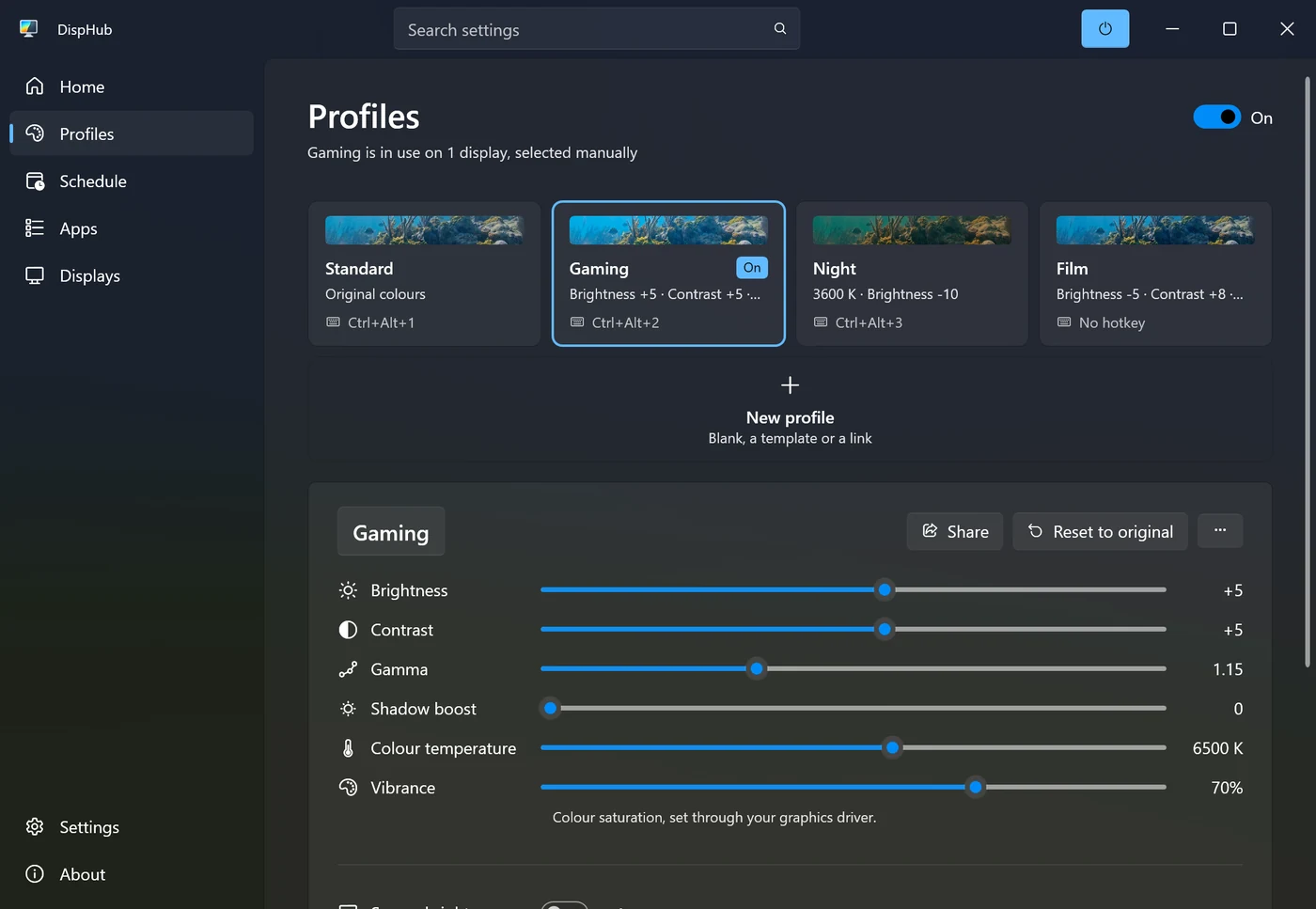
DispHub's Profiles page: Standard, Gaming, Night and Film, with Gaming's sliders
Hotkeys

Instantly switch.

Works with any game and any app.

A photo with the Gaming profile on
Apps

Every app gets its own look.

Your profile while the app is in front, normal colours when you switch away.
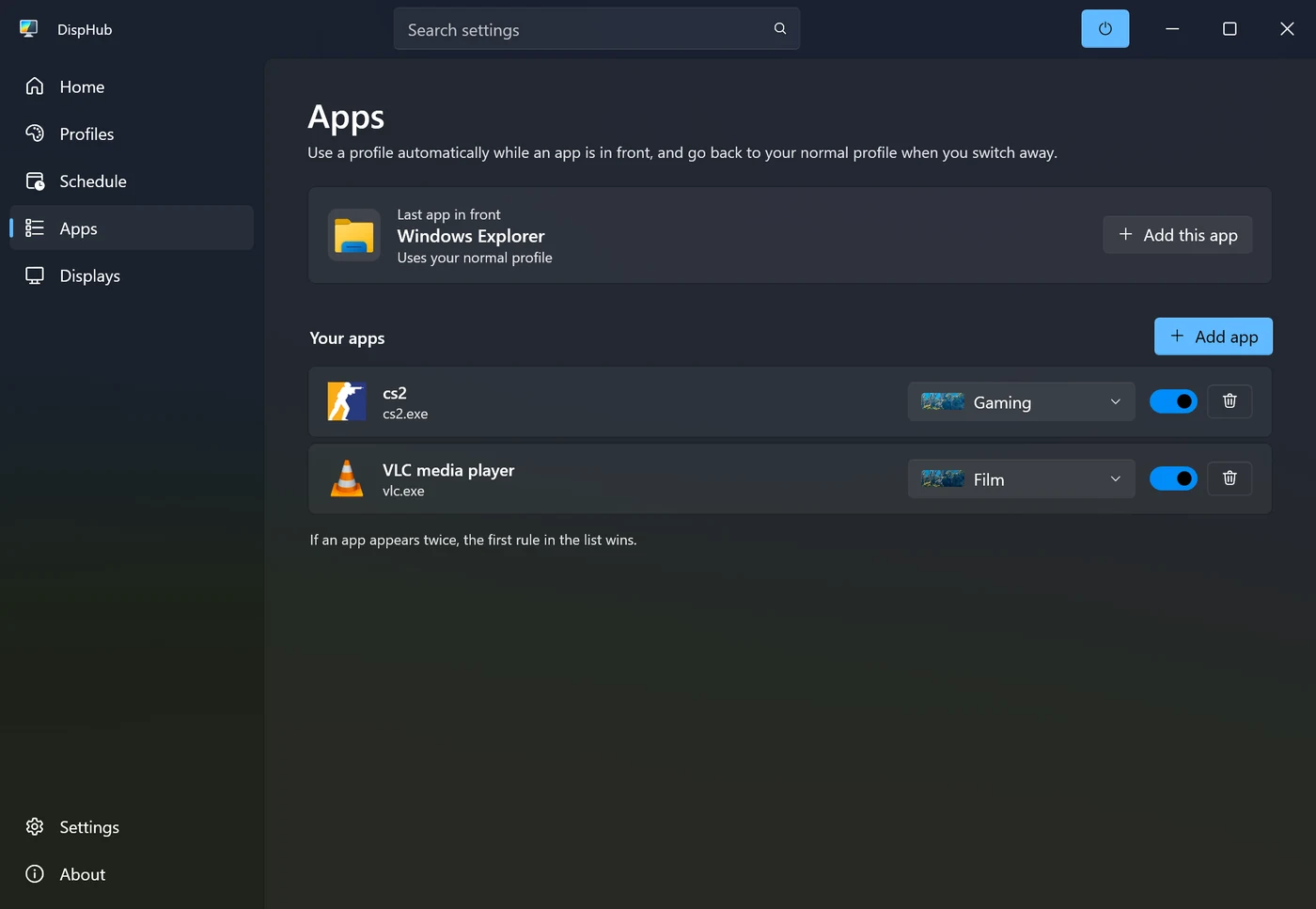
DispHub's Apps page, with a profile for each app
Schedules

Schedule your profiles.

Switch at sunset and sunrise, or at the hours you choose.
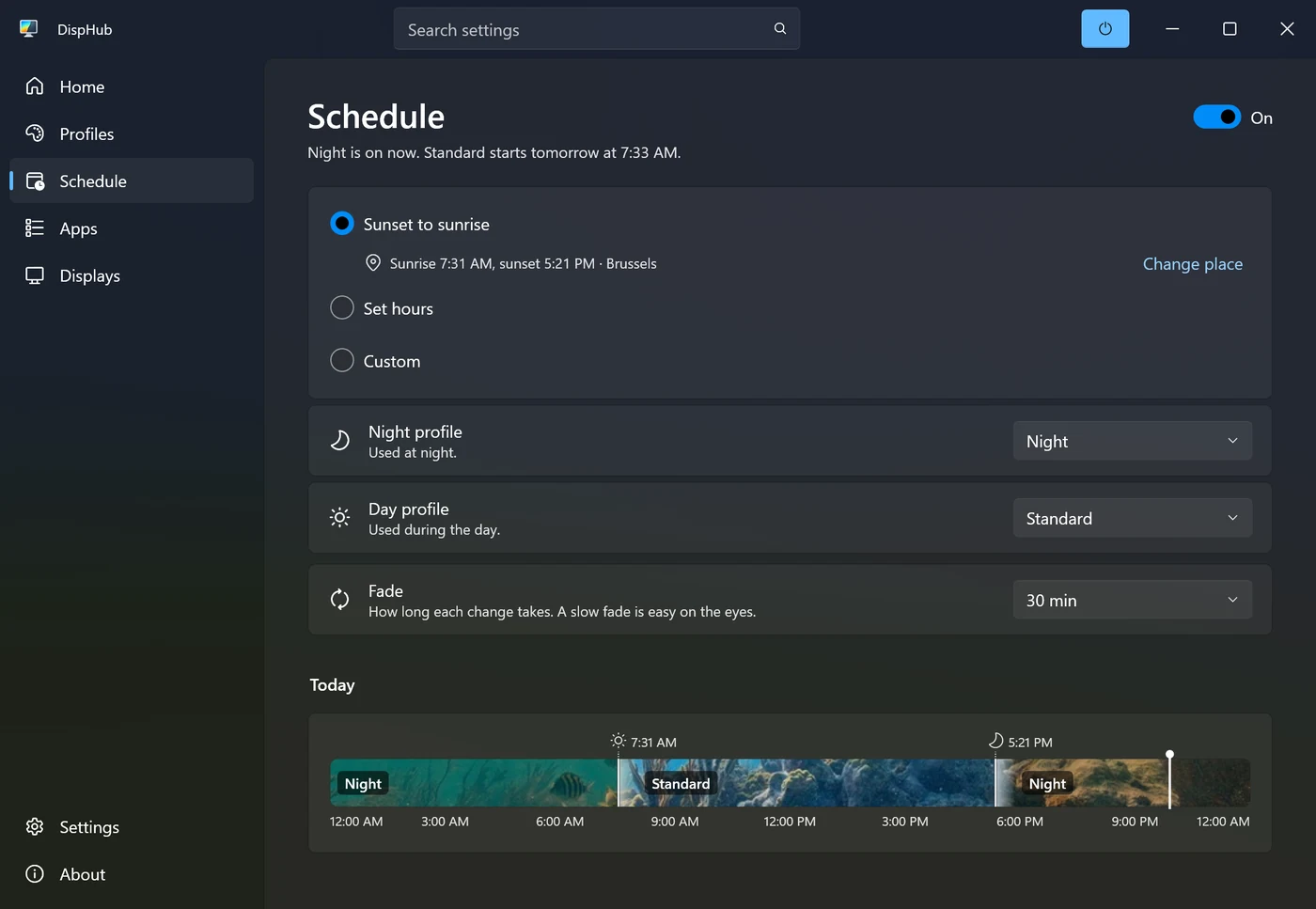
DispHub's Schedule page, with today's timeline

Get DispHub

Free on the Microsoft Store, with a week of Pro to try. Pro is a one-time upgrade.

FAQ

Do viewers on my stream see the colours?
Not with OBS, Discord or screenshots: they capture your normal colours. If you use a capture card, it does show DispHub.
Does it slow down my PC?
No. DispHub uses very little memory, and colours change in your graphics card's output.
Does it work with HDR?
Vibrance does. Windows blocks gamma changes while HDR is on, and profiles can turn HDR on or off for you.
Can it change my monitor itself?
Yes. Profiles can set the screen's own brightness, on laptops and most monitors, its refresh rate and HDR. Laptops can also use a lower refresh rate on battery.
Does it collect data?
No. No account, no telemetry, and nothing leaves your PC. See the privacy policy.